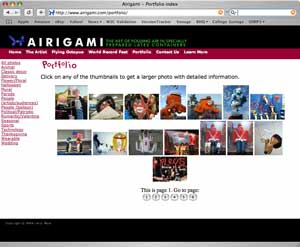
BHQ portfolios were designed to be easy to use. Upload photos and they're ready to be viewed. No web design skills are needed. However, you're stuck with the few layouts we've chosen. For most people, that's perfectly satisfactory. But for others, greater control is desired. When putting together a balloon artist web site, you have your choice of building a site from scratch and having to manage your photos yourself, or using a portfolio that doesn't match the rest of the look you've given your business on the web.
This is all changing with custom portfolios that you can embed in your own site. Expert web designers can use the power of the BHQ portfolio management and database software while having enormous control of the appearance of the portfolio. Your web site visitors will never know they're looking at a portfolio hosted elsewhere.
![]() |
| Note that the home page on the left and the portfolio page on the right match in style. The portfolio uses the power of the BHQ database, but doesn't look like a BHQ page |
In theory, other dynamic web laguages, such as modperl, python, and ASP can also be made to work. There are currently issues that need to be addressed to make those languages useable with our system. If you have a need for one of these, please contact us with your requirements. We'll work with you if we can.
The main portfolio index file needs to be named index.php
The page that displays a large photo must be named
fullphoto.php
readfile() function call to read the
following URLs:
Where username is your BHQ user name. thumbs.php and catlist.php will typically be called from your index.php. fullphoto.php will typically be called from your local version of fullphoto.php.
Options can be passed via GET variables. That is, use the form URL?options.
catlist.php: This lists all of the categories that your photos
appear in. You can list categories in two formats. You can have a
straight list of links to photos in each category or you can have a
pulldown list of categories to choose from. To control which form the list
appears in, set the variable pd to t or
f for "true" or "false".
Examples:
| Size and number of thumbnails on a page can be adjusted. |
thumbs.php: You can control the number and size of thumbnails that appear on a page.
Examples:
fullphoto.php
There are no options to this file. You'll just call it within yoru own fullphoto.php
Special requirements in all calls
Make sure all variables used to call your pages are also passed on. Do this by including the following code near the start of your PHP files:
<?php
foreach($HTTP_GET_VARS as $key => $var)
$getvars .= "$key=$var&";
?>
And make sure to pass $getvars on in your readfile() calls.
More details will appear here shortly. In the mean time, view the examples below.
Airigami.com is a full blown site that uses the embedded portfolio. See how this can be used to great effect.
Style sheet used in all examples
Photo index: view page |
view source
Individual photo page: view source |
view the page by clicking links in index.php
Variation on photo index: view page |
view source